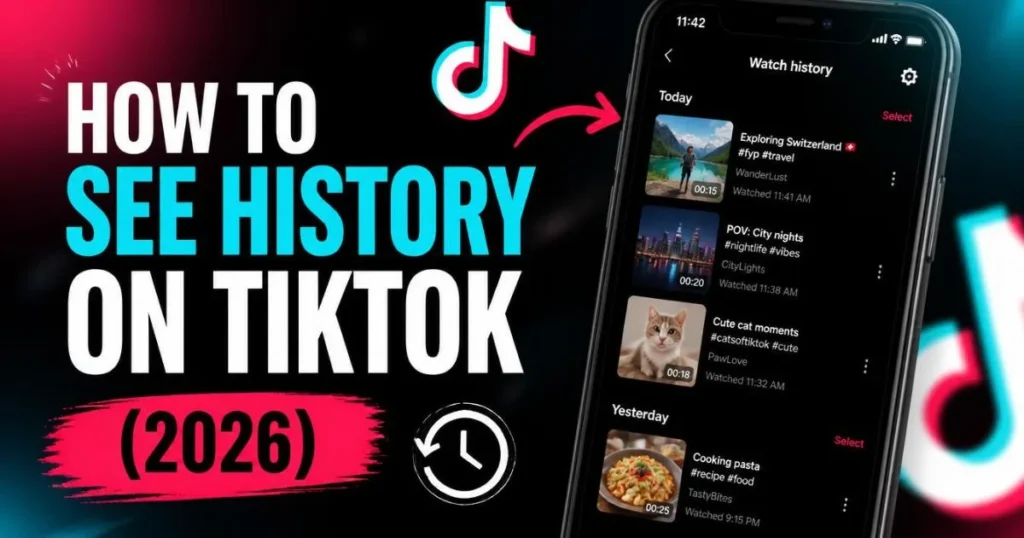
How to find your TikTok watch history, view videos you’ve watched, clear all history or delete individual videos, and reset your For You Page algorithm. Full 2026 guide.
how to see history on tiktok tool
⚡ Quick Answer — How to See History on TikTok
- Profile (bottom right) → tap three-line menu (top right)
- Settings and Privacy → Activity Center
- Tap Watch History
- Browse all videos you’ve watched, newest first
To delete: tap three dots → Select → Select All → Delete. Or select individual videos to delete specific ones.
TikTok quietly records every video you watch — storing them in a Watch History list that most users have never visited. That list is useful for finding a video you watched earlier and forgot to save. It is also the main data source TikTok uses to build your For You Page. Understanding where it is, how to use it, and how to clear it gives you real control over your privacy and your feed.
How to See Your Watch History on TikTok (2026)
TikTok moved Watch History into the Activity Center in a 2023 update. Many users still look for it in the wrong place — here are the exact steps:
Tap the Profile icon at the bottom-right of the TikTok app.
Tap the three-line menu (☰) in the top-right corner of your profile, then tap Settings and Privacy.
Scroll down to the Content and Activity section and tap Activity Center.
Tap Watch History at the top of the Activity Center list. All videos you have watched appear in reverse chronological order — most recent first.
What TikTok Watch History Shows You
📋 All watched videos
Every video you have watched on TikTok, even for a few seconds. Sorted newest first.
🔒 Private to you only
Nobody else can see your watch history — not creators, not other users. Completely private.
🔁 Rewatchable directly
Tap any video in the list to rewatch it immediately — no need to search for it again.
🧠 Algorithm input
This is the raw data TikTok uses to decide what to show on your For You Page.
Watch history is different from your Liked videos (which are videos you tapped the heart on) and your Favorites (which are videos you saved). Watch history captures everything you have played — whether you liked it, scrolled past it quickly, or rewatched it five times.
How to Delete TikTok Watch History
How to Clear TikTok Watch History — Delete All at Once
Follow the steps above: Profile → Settings and Privacy → Activity Center → Watch History.
Tap the three dots (⋯) in the top-right corner of the Watch History screen.
Tap Select from the menu that appears.
Tap Select All Watch History to highlight every video in the list at once.
Tap Delete at the bottom of the screen and confirm. Your entire watch history is cleared permanently.
Deletion is permanent. Once you delete videos from your TikTok watch history, they cannot be recovered. The videos themselves remain on TikTok — only your personal record of having watched them is removed. If there is a video you want to find again later, bookmark it or copy the link before deleting your history.
Delete Individual Videos from Watch History
If you want to remove specific videos without clearing everything:
- Open Watch History (Profile → Settings and Privacy → Activity Center → Watch History)
- Tap the three dots → tap Select
- Tap the checkboxes next to specific videos you want to remove
- Tap Delete to remove only those selected videos
TikTok Search History — How It Is Different (and How to Clear It)
Search history and watch history are two separate things, stored in different places. Search history is the list of words and phrases you have typed into TikTok’s search bar. Here is how to clear it:
Tap the magnifying glass at the top of the app’s home screen or For You Page.
Below the search bar, your recent searches appear as a list with a clock icon next to each.
Tap the X next to any individual search to remove it. Or tap Clear All (top-right of the recent searches section) to delete all search history at once.
Does Clearing Watch History Reset Your TikTok Algorithm?
Yes — partially, and temporarily. TikTok’s For You Page algorithm uses your watch history as a primary input to predict what you want to see. When you clear it, you remove that data. The result:
- Your FYP temporarily shifts to more generic, broadly popular content
- TikTok rebuilds its picture of your preferences through new interactions
- Within a few days of active use, your feed personalizes again based on what you watch, like, share, and replay
- Clearing history does not delete other algorithm signals like your liked videos, saved videos, followed accounts, or viewing behavior on other sessions
Clearing watch history is the most effective “soft reset” for your For You Page — useful if your feed has drifted into content you do not enjoy, or if you want to explore new niches without your old watch patterns anchoring the algorithm. It will not fully reset TikTok’s model of you, but it removes the largest single data source.
Is TikTok Watch History Private?
Yes — completely. Your TikTok watch history is only visible to you, logged in to your own account. Specifically:
- Creators cannot see that you watched their videos — video views are counted as totals only, no individual viewer names
- Other TikTok users cannot see your watch history
- Your followers cannot see what you have been watching
- If you share a device, anyone with access to your TikTok account can see your watch history — if this is a concern, use a separate account or clear history after each session
👀 Want to Browse TikTok Anonymously?
View any profile, watch stories, and check repost activity — anonymously, no account needed, zero trace.
View Profiles Anonymously →Related TokPlex Tools
Frequently Asked Questions
For more TikTok privacy guides, see how TikTok profile views work and does TikTok show who viewed your profile. To browse any TikTok account without leaving a trace, use the anonymous profile viewer.
Tiktok story free tool Downloader