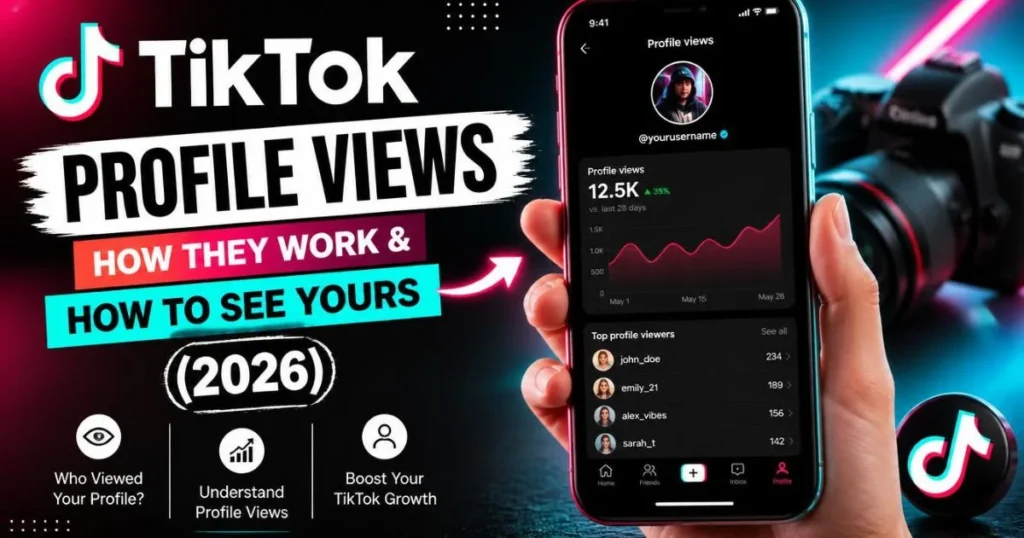
Complete guide to TikTok profile views 2026. Who can see them, how to enable Profile View History, the 5K follower limit, how to turn off profile views, and how to view profiles anonymously.
tiktok profile views
⚡ Quick Answer — TikTok Profile Views in 2026
Can you see who viewed your TikTok profile? Yes — but only if three conditions are all true at once:
- Both you and the viewer have Profile View History turned ON
- Both accounts belong to users who are 16 years or older
- Your account has fewer than 5,000 followers
If any one of those three conditions is not met, the visit is completely anonymous — it does not appear in your history, no notification is sent, and you have no way of knowing the person was there.
What Are TikTok Profile Views?
A TikTok profile view is recorded whenever someone visits your profile page — the page that shows your bio, follower count, and video grid. It is different from a video view, which is counted when someone watches one of your videos. Profile views and video views are tracked separately and behave by completely different rules.
TikTok introduced Profile View History as an opt-in feature that lets you see a list of accounts that visited your profile within the last 30 days. It was designed to help creators understand who is interested in their account — potential followers, brands, collaborators. But the feature has strict eligibility requirements that most people do not know about, which is why so many users are confused when they cannot find it.
Understanding how TikTok profile views actually work — the exact conditions, the mutual requirement, the follower cap, what happens when you turn it off — gives you real control over your privacy and your analytics. This guide covers everything accurately, based on TikTok’s actual feature behavior in 2026.
What TikTok Profile Views Can and Cannot Show You
✅ What you CAN see
Which accounts visited your profile in the last 30 days — but only accounts that also have Profile View History enabled and meet the eligibility criteria.
❌ What you CANNOT see
Who watched your individual videos. Video views are counted as a total number only — no list of viewer names, ever, for any account size.
📋 What the list shows
Username, profile picture, and an approximate timestamp of when they visited. No additional detail beyond that.
⏱️ How long it lasts
30 days only. Profile views older than 30 days are permanently removed from your history and cannot be recovered.
The Mutual Requirement — The Most Important Rule Nobody Explains
This is the part that confuses almost everyone. Profile View History is a mutual opt-in system. It only records a visit when both accounts have the feature turned on. Here is exactly how the combinations play out:
| Your Profile View History | Visitor’s Profile View History | Does the visit appear in your list? |
|---|---|---|
| ON | ON | ✅ Yes — you see their name |
| ON | OFF | ❌ No — visit is anonymous |
| OFF | ON | ❌ No — your feature is off |
| OFF | OFF | ❌ No — neither can see |
The practical implication: if you have Profile View History on and someone visits your profile, you only see their name if they also have the feature on. Most users do not turn it on by default — which means the majority of your profile visitors are invisible to you regardless of your own settings.
Who Can Use Profile View History — The 5,000 Follower Limit
Not every TikTok account can use Profile View History. TikTok restricts the feature to accounts that meet all of the following criteria:
- The account holder is 16 years or older
- The account has fewer than 5,000 followers
- The account is not set to private
Once your account crosses 5,000 followers, TikTok automatically disables Profile View History. You lose access to the viewer list entirely — and accounts with over 5K cannot appear in other people’s viewer history either. TikTok’s reasoning: large accounts would receive hundreds of profile visits daily, making the feature overwhelming and less meaningful.
This means that for most creators who have successfully grown their accounts, TikTok profile views are essentially invisible — both their own visitors and their own visits to others. The feature exists only for smaller, growing accounts.
How to Enable Profile View History on TikTok (Step by Step)
Tap the Profile icon in the bottom-right corner of the app.
Tap the three-line menu (☰) in the top-right corner, then select “Settings and Privacy.”
Tap “Privacy” then scroll down to find “Profile views” (also labeled “Profile view history” on some versions).
Switch the toggle to green/ON. Remember: this means others can now see when you visit their profiles too.
Return to your profile. Tap the eye icon near your follower count, or check your Inbox for a “Profile views” notification. You will see accounts that visited you in the last 30 days (those who also have the feature on).
If you do not see the Profile views option at all, either your account does not meet the eligibility requirements (age 16+, under 5,000 followers) or you need to update your TikTok app to the latest version.
How to Turn Off Profile Views on TikTok — And What Happens When You Do
Turning off Profile View History is simple: follow the same steps above and toggle the feature OFF. But what happens to your existing data is something most guides miss entirely.
When you turn Profile View History OFF, TikTok removes your name from other people’s viewer lists in real time. Even if you visited someone’s profile five minutes ago and your name appeared in their history, turning the feature off scrubs that entry immediately. You become invisible retroactively within the 30-day window.
This is the fastest way to become anonymous on TikTok if you accidentally visited someone’s profile while your history was on. Turn the feature off immediately, and your visit disappears from their list.
How to View a TikTok Profile Anonymously
There are three reliable methods to view TikTok profiles without being seen:
Method 1 — Turn Off Profile View History Before Visiting
Go to Settings → Privacy → Profile views and toggle OFF before you browse. With your feature off, your visit will not be recorded in anyone’s viewer history. This is the official, built-in method.
Method 2 — Log Out of TikTok and Browse via Browser
Open TikTok.com in a browser without logging in. You can search for and view public profiles without any account attached to the visit. No Profile View History is involved at all.
Method 3 — Use a Server-Side Anonymous Viewer Tool
A tool like TokPlex’s anonymous TikTok profile viewer routes the request through its own server. Your identity — and your TikTok account — is never part of the request. The creator sees nothing in their profile history, because TikTok never received a request from you in the first place. This is the most reliable method for professional research, journalism, or competitive intelligence where you absolutely cannot leave a trace.
TokPlex Tools for Anonymous & Private TikTok Viewing
Common Questions About TikTok Profile Views
Can people see who views their TikToks?
For videos: no — TikTok does not show who watched your videos, only the total count. For profiles: only under the mutual Profile View History conditions described above. So when people ask “can people see who views their TikToks,” the honest answer is: videos never, profiles only sometimes.
Does TikTok notify you when someone views your profile?
No. TikTok does not send push notifications for profile views. The only way to see who visited is by actively opening your Profile View History list inside the app. There is no badge, no alert, and no DM triggered by a profile visit.
Can someone see if you viewed their TikTok profile?
Only if both of you have Profile View History on and both are eligible (16+, under 5K followers). If either account has the feature off, the visit is completely private — can someone see if you viewed their TikTok profile without these conditions met? No, they cannot.
Can you see who viewed your video on TikTok?
No. TikTok shows the total view count on a video but never a list of who watched it — regardless of your account size or settings. This applies to all creators: there is no “video viewer list” feature on TikTok.
Do people know if you view them on TikTok?
For profile visits: only under the mutual conditions above. For video views: never — TikTok does not reveal video viewers by name. For story views: always — story viewer lists work like Instagram, regardless of Profile View History settings.
What happens when you turn off Profile View History?
Two things: (1) you stop receiving new profile view data — you can no longer see who visits your profile. (2) Your name is removed in real time from all other users’ view history lists, even for visits you made within the last 30 days. You become anonymous retroactively.
Do People Know I View Them on TikTok?
Generally, no. Do people know I view them on TikTok is one of the most-searched privacy questions on the platform. The answer depends on context: for videos, viewing is always anonymous. For profiles, only if both accounts have Profile View History on and both are eligible. For stories, always — creators see story viewers regardless of other settings.
Can People See Who Viewed Their TikTok?
Can people see who viewed their TikTok videos? No — video viewer names are never shown. Can people see who viewed their profile? Only under the mutual Profile View History conditions. Can people see who views their TikToks in general? The answer varies by content type — videos no, profiles conditionally, stories yes.
Why can’t I see who viewed my TikTok profile?
The most common reasons: your account has over 5,000 followers (feature disabled at that threshold), Profile View History is turned off, your TikTok app needs updating, or the visitors who came to your profile had their feature turned off.
How to See Who Viewed Your TikTok Profile (2026)
If your account is eligible and the feature is on, here is how to see who viewed your TikTok profile:
- Open TikTok and tap your Profile icon (bottom right)
- Look for the eye icon near your follower count — tap it to open the viewer list
- Alternatively, open your Inbox — if Profile View History is active, you will see a “Profile views” section at the top
- You will see a list of accounts with usernames, profile pictures, and approximate visit times from the past 30 days
Only accounts that also have Profile View History enabled will appear. The list is not a complete picture of all your visitors — it is only the mutually-opted-in subset.
Want to View Profiles Without Being Seen?
TokPlex’s anonymous profile viewer routes your request server-side — the creator never sees your visit, regardless of any settings.
View Profiles Anonymously →Frequently Asked Questions
For more TikTok tools and guides, explore the full TokPlex toolkit: view profiles privately with the anonymous profile viewer, watch stories without being seen with the anonymous story viewer, check exact follower counts with the follower count checker, or see someone’s reposts with the repost viewer. All free, all fast, all on one site.