
Check if a TikTok username is free
See in seconds whether a @handle is taken or available before you sign up.
More free TikTok tools
Everything else in the kit — no sign-up, all on this site.
Watch public stories without showing up in the viewer list.
Open toolGrab any public profile photo in full HD, one tap.
Open toolBrowse everything a public account has reposted.
Open toolOpen any public profile — stats, bio, photo. No login.
Open toolGet catchy, on-vibe handle ideas in a tap.
Open toolSave public stories before they vanish in 24h.
Open toolLook up any creator's exact follower total.
Open toolWatch a creator's followers tick up in real time.
Open toolMeasure how well an account actually performs.
Open toolView a public profile privately, no trace left.
Open toolWrite a bio that matches your vibe in seconds.
Open toolTokPlex is not affiliated with, endorsed by, or sponsored by TikTok / ByteDance Ltd. Displays publicly available content only.
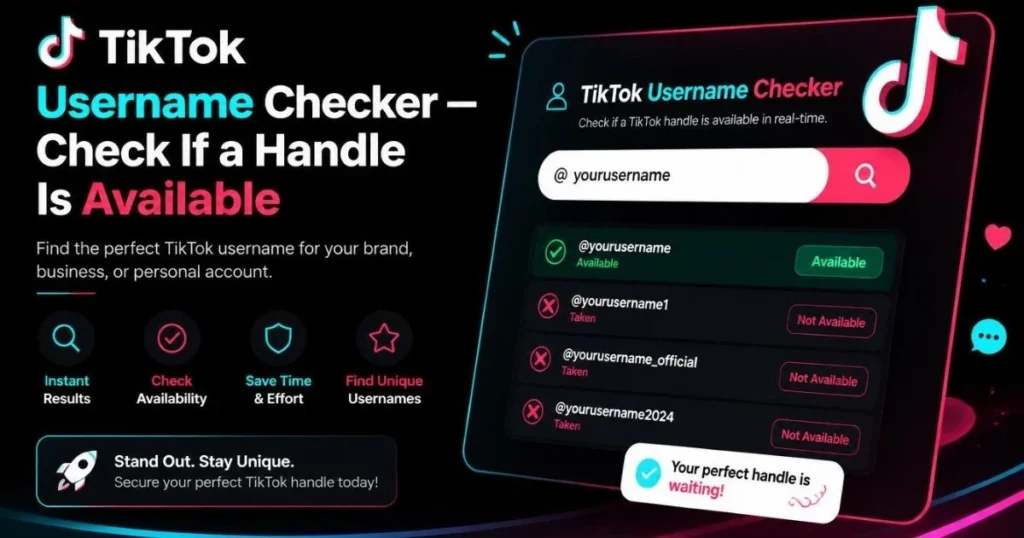
Check TikTok Username Availability — Instant & Free
You have the perfect TikTok username in your head — something short, catchy, and totally you. But before you get excited and start designing your content strategy around it, you need to answer one question: is that TikTok username actually available?
Here is the annoying part: TikTok itself does not have a dedicated username availability checker. The only way to find out if a handle is taken is to open the app, go to edit your profile, type the name, and wait for a tiny red error message. If it is taken, you have no idea why — is it an active account, an abandoned one, or a banned page sitting on the name? And you certainly cannot check ten variations quickly.
That is why we built this TikTok username checker. Type any handle into the tool above and get an instant, real-time answer: available or taken. No account needed. No app to open. No CAPTCHA to solve. Just a clean, fast result in about two seconds.
And this is not some guessing game based on a database. TokPlex checks the handle directly against TikTok’s live servers — the same way TikTok itself would check it when you try to change your username in the app. If we say it is free, it is genuinely free right now.
Let us say you are a fitness creator in Los Angeles launching a new brand. You want @FitByAlex, but is it taken? You type it in, hit Check, and two seconds later you know. Taken? Try @FitWithAlex, @AlexFitness, @AlexGetsStrong — check each one in seconds without ever opening TikTok. When you find one that is available, go straight to the app and claim it before someone else does.
Or maybe you are a marketing agency in London onboarding a new client. They want a TikTok presence but have not created an account yet. You need to check TikTok username availability for five variations of their brand name and present the options in a meeting tomorrow. This tool lets you run through all five in under a minute, right from your browser.
Over 1.5 billion people use TikTok. That means the best usernames get snapped up fast. The gap between “that name is available” and “sorry, taken” can be hours. A real-time TikTok username availability checker is not a luxury — it is a necessity if you care about your handle.
How the TikTok Username Checker Works — Step by Step
The entire process takes less than five seconds. Here is what happens:
Enter the TikTok username you want to check into the search field above. No @ symbol needed (though it works fine if you include it). Keep it between 2 and 24 characters — that is TikTok’s rule for handles.
TokPlex sends a server-side request to TikTok’s public profile endpoint for that exact handle. If TikTok returns a valid profile (with a user ID, avatar, and stats), the name is taken. If TikTok returns a “user not found” response, the name is available. This check happens against TikTok’s live data — not a cached database.
You get a clear green “Available — go grab it!” or red “Taken” result. If taken, you can instantly try a variation. If available, head to TikTok and claim it immediately — good usernames do not stay free for long.
What happens behind the scenes: When you check TikTok username availability through TokPlex, the tool queries TikTok’s public page for that username. TikTok’s response contains a status code — if the user exists, it returns a full profile JSON with the user’s ID. If not, it returns a “user not found” status. We parse that response and give you the plain answer. The request comes from our server, not your device, so there is zero trace on your end.
Key Features of This TikTok Username Checker
Real-Time Live Check
This is not a cached database from last month. Every check hits TikTok’s live servers at that exact moment. If we say a name is available, it is available right now — not “was available three days ago.”
TikTok-Only Focus
Most username checkers are multi-platform (Instagram, Twitter, YouTube, TikTok). That sounds useful, but it means the TikTok check is often the weakest — slow, inaccurate, or CAPTCHA-gated. TokPlex is built specifically for TikTok. One platform, done right.
Rapid Variation Testing
Your first choice is taken? Type the next variation immediately. No page reloads, no wait times between checks. Run through ten handle ideas in under a minute.
Clear Visual Result
A green badge with a checkmark for “available.” A red badge with an X for “taken.” No ambiguous status messages, no “might be available” maybes. Binary, clear, instant.
No Login Required
You do not need a TikTok account to check username availability. Works in any browser, any device, no credentials needed. Perfect for planning before you even create an account.
Pairs with the Username Generator
Cannot think of a good handle? Use our TikTok username generator to get creative ideas by style (aesthetic, gaming, business, rare), then check each one here in seconds.
Anonymous and Private
Your checks are server-side. Nobody knows you searched for a particular username. No account activity, no notifications — completely invisible.
Benefits of Using TokPlex to Check TikTok Usernames
Good TikTok usernames vanish fast. By the time you open the app, navigate to settings, and type it in, someone else might have taken it. This tool checks in 2 seconds from any browser — speed is the advantage.
Instead of checking one name at a time inside TikTok’s clunky settings screen, run through @AlexFit, @FitByAlex, @AlexGetsStrong, @Alex.Fitness all in under a minute. Find the best available handle without the friction.
Agencies and businesses checking TikTok username availability for clients can do it from a desktop browser during a meeting — no need to pull out a phone and fumble through the TikTok app in front of a client.
Want the same @handle across TikTok, Instagram, and YouTube? Start here. Check if your desired name is free on TikTok first — it is usually the hardest platform to get a short, clean handle on because of its massive user base.
TikTok’s in-app checker gives you a cryptic red error with no detail. This tool gives a definitive answer with zero ambiguity — available or taken, instantly.
No premium tier, no per-check fee, no credit card. Unlimited username availability checks, forever free.
10 Real-World Use Cases
You are about to create your TikTok account. You have three name ideas. Check all three in 15 seconds and pick the one that is actually available — do not waste time discovering it is taken after you have already built a logo around it.
Your current handle feels outdated. Before committing to a new direction, check available TikTok usernames to make sure your ideal rebrand name is free.
Client wants a TikTok presence? Run five brand-name variations through the checker and present the available options in your kickoff meeting. Looks professional. Takes one minute.
You just registered a business name. Secure the matching TikTok handle immediately — even if you do not plan to post yet. Username squatting is real.
Running a personal account and a brand account? Check availability for the brand handle before announcing it to your audience.
Short, rare TikTok usernames (3-4 characters, no numbers) are status symbols. Use this checker to hunt for available ones. Pair with the username generator for rare-style suggestions.
Creating a supervised TikTok account for your kid? Check a few fun, age-appropriate usernames before sitting down together to set it up.
Launching a hashtag challenge or event? Check if a dedicated TikTok handle is available for the campaign — temporary accounts are common for product launches and contests.
Bought a domain name and want the matching TikTok handle? Check availability instantly before building your brand identity around a name you might not be able to use on TikTok.
Curious if a competitor has claimed a specific TikTok handle? Check it here. If they have not, you might want to secure it yourself — or at least know the landscape.
Who Should Use This TikTok Username Checker?
New creators — if you are about to create a TikTok account and want to make sure your ideal username is not taken before you build your entire brand identity around it, start here. Check ten variations in a minute.
Influencers and content creators — whether you are rebranding, launching a second channel, or securing a handle for a future project, a quick TikTok username check saves you from awkward discoveries later.
Marketing agencies and social media managers — you handle username strategy for clients. This tool lets you check TikTok username availability from a desktop browser during meetings, without needing the app or a TikTok account.
Gamers and aesthetic-focused users — short, rare, and stylish handles are everything. Use this checker to hunt for available gems, and combine it with our TikTok username generator for fresh ideas.
Small business owners and entrepreneurs — securing your brand name across platforms is day-one business. Check TikTok availability now, even if you do not plan to post for months.
Parents — setting up a child’s account? Check fun, appropriate usernames ahead of time so the setup process is smooth and quick.
How TokPlex Compares to Other Username Checkers
| Feature | TokPlex | InstantUsername | ShopScan | MediaMister | TikTok App |
|---|---|---|---|---|---|
| TikTok-focused | ✅ Only TikTok | Multi-platform | Multi-platform | Multi-platform | ✅ Native |
| Real-time check | ✅ Live | Varies | ✅ Live | ❌ Slow/cached | ✅ Live |
| No CAPTCHA | ✅ | ✅ | ✅ | ❌ CAPTCHA | ✅ |
| No account needed | ✅ | ✅ | ✅ | ✅ | ❌ Need account |
| Desktop browser | ✅ | ✅ | ✅ | ✅ | ❌ App only |
| Rapid multi-check | ✅ Instant | OK | OK | ❌ Slow | ❌ Clunky |
| Generator built-in | ✅ Linked | ❌ | ❌ | ❌ | ❌ |
| Page speed | Fast (CWV) | Medium | Medium | Slow | N/A |
Bottom line: Multi-platform checkers treat TikTok as an afterthought — slow checks, CAPTCHA walls, inaccurate results. Among dedicated TikTok usernames checker tools, TokPlex is the fastest and most reliable.
TikTok’s own app requires an account and does not let you test variations quickly. TokPlex is the only TikTok-focused, real-time, no-login checker that also connects to a username generator. One tool, one platform, done right.Frequently Asked Questions
Check Your Username Right Now — It Takes 2 Seconds
Type your dream handle into the tool above. Available? Go claim it before someone else does.
↑ Check Username Availability NowWhile you are here, explore the full TokPlex toolkit — every tool is free and fast. Need username ideas? Try the TikTok username generator. Want to view a creator’s full profile? Use the TikTok account viewer. Looking at competitors’ stories without them knowing? The anonymous story viewer has you covered. All on one site.