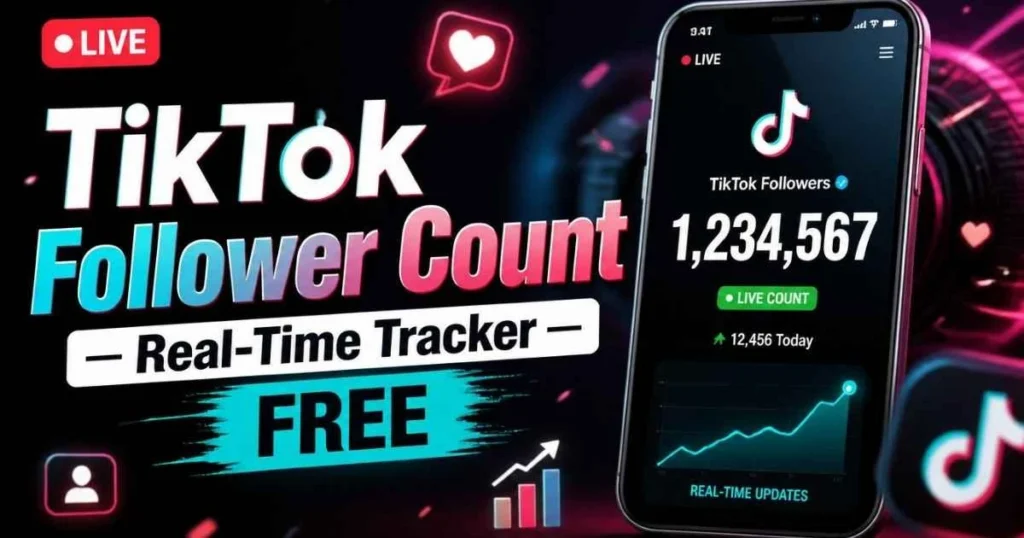
Live TikTok follower count
Watch a creator's followers tick up in real time, updated automatically.
More free TikTok tools
Everything else in the kit — no sign-up, all on this site.
Watch public stories without showing up in the viewer list.
Open toolGrab any public profile photo in full HD, one tap.
Open toolSee instantly whether a @handle is taken or free.
Open toolBrowse everything a public account has reposted.
Open toolOpen any public profile — stats, bio, photo. No login.
Open toolGet catchy, on-vibe handle ideas in a tap.
Open toolSave public stories before they vanish in 24h.
Open toolLook up any creator's exact follower total.
Open toolMeasure how well an account actually performs.
Open toolView a public profile privately, no trace left.
Open toolWrite a bio that matches your vibe in seconds.
Open toolTokPlex is not affiliated with, endorsed by, or sponsored by TikTok / ByteDance Ltd. Displays publicly available content only.
Track Any TikTok Account’s Followers in Real Time
You posted a video and it is taking off. Views climbing, comments flooding in, and somewhere in the background, your follower count is moving. But TikTok’s app just shows “10K” — the same rounded number as yesterday. Are you gaining followers right now or not? You have no idea.
This live TikTok follower count tracker answers that question in real time. Enter any public username, click Go Live, and watch the exact follower number update automatically every 30 seconds. No refreshing, no guessing, no rounded abbreviations. The number ticks up (or down) right in front of you — 10,788 → 10,791 → 10,795. Every new follower is visible the moment TikTok registers it.
This is different from our standard follower count checker, which gives you a single snapshot when you click. The live counter is a continuous tracker — it keeps polling TikTok’s servers and updating the display while you keep the tab open. Think of it as a dashboard for your follower count.
Here is when this matters most. A brand manager in New York launched a creator’s sponsored post at 9 AM. By noon, she needs to report whether it moved the needle. She opens this live TikTok follower count tracker, enters the creator’s username, and watches. At 9:30, the creator had 142,567 followers. By 11:45, it reads 143,891. That is 1,324 new followers in under three hours — directly attributable to the campaign. She screenshots the counter, drops it in the report, and the client sees real-time proof of ROI.
Or you are a creator who just hit 99,500 followers. You want to watch yourself cross 100K — the milestone that unlocks TikTok’s creator tools, the one you have been grinding toward for months. You open this page, enter your username, and wait. 99,512 → 99,533 → 99,578. When it hits 100,000, you screenshot it. That moment is content. That screenshot becomes a TikTok thanking your audience. And you would have missed it entirely if you were staring at the app saying “99.5K.”
Competitor tools like TokCount, Livecounts.io, and Countik do the same basic thing — live tracking — but many of them also sell followers, likes, and views on the same site. That is a trust conflict. A tool that counts your followers and also sells fake ones has a financial incentive to make your count feel “low.” TokPlex is a tools-only platform. We do not sell followers. We do not sell engagement. The number is the number, and we have no reason to make you feel anything about it other than informed.
How the Live TikTok Follower Counter Works
Type or paste any public TikTok username. With or without @, full URL or bare handle.
TokPlex fetches the current follower count and displays it in large, gradient text alongside the creator’s avatar and a “● LIVE” indicator. The first number appears in about 2 seconds.
Every 30 seconds, the tool re-polls TikTok’s servers and updates the number on screen. You do not need to click anything — just leave the tab open. The LIVE indicator confirms it is actively tracking. Close the tab to stop.
Key Features
Continuous Auto-Refresh (30s)
No manual refreshing. The TikTok live follower count updates automatically every 30 seconds while the tab is open. A pulsing “● LIVE” indicator confirms active tracking.
Exact Unrounded Numbers
Not “10K” — 10,788. The raw integer from TikTok’s servers, with full digit precision. Every single follower gain or loss is visible in real time.
HD Avatar + Profile Context
The creator’s profile picture appears alongside the live number. No other live counter shows the avatar at full resolution — Countik, TokCount, and Livecounts all skip it. Need the photo? Jump to the profile picture downloader.
OBS / Streamlabs Ready
Add this page as a browser source in OBS. The live count renders directly on your stream overlay. The Midnight Neon dark theme means it blends with most stream layouts without extra cropping or color-keying.
No Login, No CAPTCHA, No App
MediaMister’s live counter requires a CAPTCHA every time. TokPlex has none. No account, no verification puzzle, no app to install. Enter a username and the count starts immediately.
No Follower-Selling Conflict
Countik, Celebian, Goread, and Viralyft all sell followers on the same site where they count them. That is a conflict of interest. TokPlex is tools-only — we count, we do not sell. The data is the data.
Benefits of Real-Time Follower Tracking
When a video is blowing up, the app’s rounded number barely moves. This tracker shows every new follower as it arrives — 10,788 → 10,791 → 10,803. You see the wave in real time, not after it passes.
Launched a sponsored post at 9 AM? Open the tracker and watch whether the creator’s followers move over the next few hours. A live number is more convincing in a report than a before/after screenshot taken days apart.
100K, 500K, 1M — these milestones unlock creator tools, brand deals, and bragging rights. Watch the number approach, screenshot the exact moment it crosses, and turn that moment into content.
Fan accounts use live counters to track follower races between creators. Side-by-side tracking of two accounts makes the competition visible and shareable.
Streamers add this page as a browser source in OBS to show their live TikTok follower count on screen during broadcasts. Viewers love watching the number tick up during a stream.
No “buy 1000 followers” button next to your count. No premium tier. No CAPTCHA. Just the live number, free and clean.
10 Real-World Use Cases
Your video hit the For You Page. You open this tracker and watch your followers climb in real time — the most satisfying experience on TikTok that TikTok itself hides from you.
A marketing team monitors the sponsored creator’s follower count during the first 24 hours of a campaign. Live data goes straight into the performance report.
You are approaching 100K. You open the tracker, start a screen recording, and capture the exact second the number crosses 100,000. That clip becomes a thank-you TikTok.
Two creators are neck-and-neck. Fan accounts open the tracker for both and share screenshots as the race unfolds. Drama, engagement, content — all from a number.
A Twitch streamer adds this page as a browser source in OBS. The live TikTok follower count appears on screen during the broadcast, updating every 30 seconds.
You posted a video an hour ago. Is it doing anything? Open the tracker and watch. If followers are climbing, the algorithm picked it up. If flat — time to try a different hook.
An agency managing a product launch monitors the brand’s TikTok follower count live during the launch event. Real-time data feeds into the war-room dashboard.
TikTok periodically purges bot accounts. If your follower count drops suddenly, the live tracker shows it happening — confirming it is a platform-wide purge, not something wrong with your content.
A creator claims they gained 5K followers yesterday. Open the tracker today and watch for an hour. If the number barely moves, yesterday’s “growth” may have been purchased.
There is something oddly satisfying about watching a number tick up in real time. Some people watch stock tickers; TikTok creators watch follower counters. No judgment.
Who Should Use This Live Counter?
Creators who want to see their growth as it happens — especially during viral moments and milestone approaches. TikTok’s app hides real-time movement behind rounding.
Marketers and brand managers monitoring campaign performance. A live counter provides real-time proof that a sponsored post is driving followers.
Streamers who want a live TikTok follower count on their OBS overlay. Add this page as a browser source and the number renders directly on screen.
Fan accounts tracking follower races, drama moments, and milestone crossings. The live counter is the backbone of “who will hit 10M first?” content.
Agencies that need a real-time dashboard during launch events, campaign weeks, or creator management. Open the tracker in a side tab and check the number whenever you need it.
How TokPlex Compares to Other Live Counters
| Feature | TokPlex | TokCount | Livecounts.io | Countik | MediaMister |
|---|---|---|---|---|---|
| Refresh rate | 30 sec | 5 sec | 15 sec | Real-time | Manual/slow |
| HD profile picture | ✅ 720×720 | ❌ Tiny | ❌ Tiny | ❌ Tiny | ❌ |
| No CAPTCHA | ✅ | ✅ | ✅ | ✅ | ❌ CAPTCHA |
| No follower sales | ✅ Tools only | ✅ | ✅ | ❌ Sells followers | ❌ Sells followers |
| Page speed | Fast (CWV) | Medium | Medium (ads) | Medium | Slow |
| OBS-ready design | ✅ Dark theme | ✅ | Partial | Partial | ❌ |
| Linked toolkit | ✅ 12 tools | Blog only | Multi-platform | 10 tools | Sells services |
| No login | ✅ | ✅ | ✅ | ✅ | ✅ |
Where TokPlex wins: TokCount and Livecounts have faster refresh rates (5-15 sec vs. our 30 sec) — a fair advantage for second-by-second races. But TokPlex is the only live counter with an HD profile picture, a tools-only trust model (no follower sales), and a connected 12-tool ecosystem. If you want the fastest refresh for a specific race, TokCount is great. If you want a clean, trustworthy tracker that connects to everything else — engagement calculator, username checker, profile picture downloader — TokPlex is the better platform.
Frequently Asked Questions
Start Tracking — Watch the Numbers Move
Enter a username above and see the follower count update in real time. Free, live, no login.
↑ Start Live Tracking NowExplore the full TokPlex toolkit. Need a one-time snapshot? Use the follower count checker. Calculate performance with the engagement rate calculator. View profiles anonymously with the account viewer. Download HD photos with the profile picture downloader. All free, all fast, all on one site.