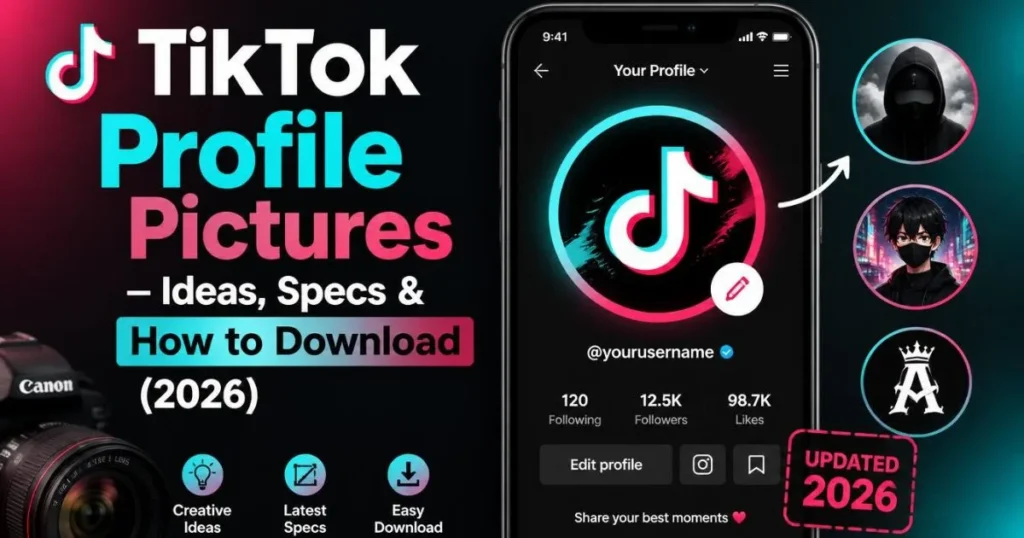
Everything about TikTok profile pictures — size specs, cute & aesthetic ideas, what the default looks like, how to change yours, and how to download anyone’s pfp in HD free.
tiktok profile pictures
Your TikTok profile picture appears in more places than you probably realize — your profile page, the comments section, the For You Page, search results, DMs, and the follower/following list. It is a tiny circle, but it is everywhere. Getting it right matters more than most creators think. This guide covers everything: the exact specs TikTok uses, style ideas by vibe, what the default picture is, how to change yours, and how to download anyone’s profile photo in HD.
TikTok Profile Picture Size & Specs (2026)
📐 Official TikTok Profile Picture Specifications
TikTok automatically crops your photo into a circle and compresses it for display. If you upload a 200×200px image, it will look fine — but edges can appear pixelated on higher-resolution screens. 400×400px or larger gives you crisp results at any display size. Center your subject carefully before uploading — corners get cut off by the circle crop.
The Default Profile Picture on TikTok — What It Means
TikTok’s Default Profile Picture
A grey circle with a white person silhouette — TikTok’s placeholder image shown whenever no profile photo has been set. New accounts always start with it. It signals to viewers that the account is new, inactive, or the user has not personalized their profile.
The default profile picture on TikTok is the grey silhouette placeholder — the same one used across most platforms when no photo has been uploaded. It is universally read as “brand new account” or “inactive account.” On TikTok specifically, where visual identity matters for the algorithm and follower psychology, staying on the default for more than a day or two makes your profile look abandoned.
A plain TikTok profile picture — often confused with the default — is different. “Plain” usually refers to a solid color background with minimal design (a single letter, a clean logo, or just a flat color). This is a deliberate aesthetic choice, not the same as having no photo. Plain PFPs are popular with aesthetic, minimalist, and baddie accounts because they look clean and intentional rather than lazy.
TikTok Profile Picture Ideas — 6 Styles for Every Vibe
Your profile picture should match your content niche. Here are the six most popular styles on TikTok in 2026, with what works within each:
Cute / Kawaii
Pastel tones, anime characters, cartoon animals, soft gradients. Cozy creator energy. Pastel pink, lavender, mint.
Aesthetic / Dark
Dreamy, moody, film-grain edits. Black & white portraits, golden hour shots, glitch effects. Dark academia, soft grunge.
Baddie / Clean
Sharp, confident, polished. High-contrast selfies, minimal editing, bold colors. Often plain-color background.
Gaming / Tech
Character art, custom avatars, neon glow effects, 3D renders. RGB color palette. Shows niche identity fast.
Chill / Nature
Soft outdoor photos, plants, golden light. “Clean girl” energy. Works for lifestyle, wellness, food content.
Brand / Business
Logo on clean background, professional headshot, consistent brand color. No clutter, high contrast, easily recognizable.
Cute TikTok profile pictures dominate among younger audiences and fanbase accounts. Anime characters, soft cartoon animals, and pastel gradient backgrounds are the most common choices. If you create cozy, cute, or fandom content, leaning into this style helps potential followers instantly identify your vibe before they read your bio.
Profile pictures for TikTok that convert visitors into followers tend to share three traits: they work at thumbnail size (faces or logos — no small text), they have strong contrast (visible on both dark mode and light mode), and they match the energy of the content behind the profile. A mismatch between PFP vibe and video content creates cognitive friction that increases bounce rate.
What Makes a Good TikTok Profile Picture
Your PFP appears as a tiny circle next to comments and in the For You Page. If it only looks good at full size, it is not working where it matters most. Use a face close-up, a bold logo, or a simple icon — never small text or complex scenes.
TikTok users switch between dark mode and light mode. A photo that looks great on dark might disappear on light. Test your PFP against both before setting it. Bright backgrounds on dark mode often work for both.
A cooking creator with a gaming anime PFP creates confusion. Viewers make split-second follow decisions — your profile picture is part of the promise your account makes. Match the energy of what you post.
Face recognition builds parasocial trust faster than any other image type. If you are a personal creator, use your face. If you are a brand or faceless account, a clean logo on a solid background is the next best thing.
If your TikTok PFP matches your Instagram, YouTube, and X photo, you become recognizable across the internet. Cross-platform consistency builds brand recognition — people know it is you before they even read your name.
How to Download a TikTok Profile Picture in HD
TikTok’s app shows profile pictures as compressed 200×200px circles — tapping on them in the app does not give you a download option. To get the full-resolution version, you need a separate tool.
TokPlex’s TikTok profile picture downloader gives you the 720×720px HD version of any public account’s profile photo — the highest resolution TikTok stores. Enter any username, see the photo full-size, and download it in one click. No login, no watermark, no app required.
📸 Download Any TikTok Profile Picture in HD
Enter any username — get the full 720×720px photo instantly. Free, no login, no watermark.
Download TikTok Profile Picture →How to Change Your TikTok Profile Picture
Changing your TikTok profile picture takes about 30 seconds:
- Open TikTok and tap Profile (bottom right)
- Tap Edit Profile
- Tap your current profile picture or the camera icon
- Choose Upload Photo or Take Photo
- Crop to the circle frame, then tap Confirm
- Tap Save — your new photo goes live immediately
For full step-by-step instructions with screenshots and troubleshooting tips, see the how to change TikTok profile picture guide.
TikTok vs. Other Platforms — Profile Picture Specs Compared
| Platform | Display Size | Recommended Upload | Shape | Animated? |
|---|---|---|---|---|
| TikTok | 200×200px | 400×400px+ | Circle | ✅ GIF |
| 110×110px | 320×320px+ | Circle | ❌ | |
| YouTube | 800×800px display | 800×800px | Circle | ❌ |
| X (Twitter) | 200×200px | 400×400px+ | Circle | ❌ |
| Discord | 128×128px | 256×256px+ | Circle | ✅ GIF (Nitro) |
TikTok’s profile picture size is on par with Instagram and X — all small circles. The key difference is that TikTok’s circle appears more prominently in the For You Page feed (next to the follow button on each video), meaning it gets more impressions per day than Instagram’s equivalent.
TokPlex Tools for Profile Picture Research
Frequently Asked Questions
Next step: ready to download a profile picture? Use the TikTok profile picture downloader — free, HD, instant. Or if you want to change your own, see the how to change TikTok profile picture guide. For anonymous profile browsing, the anonymous profile viewer shows the full-size photo alongside all stats.